
SciX and ORCiD
Last updated on 2026-09-25 | Edit this page
Overview
Questions
- How do I ensure that all my papers are attached to my ORCiD?
Objectives
- Claim an article using an Open Researcher and Contributor Identification (ORCiD), a unique persistent digital identifier for researchers
SciX and ORCiD
In this lesson, we are going to be talking about how SciX integrates ORCiD. Hopefully, you already have an ORCiD for yourself, and an understanding of ORCiD. If not, please review the Library Carpentries Lesson “Open Research and Contributor IDs (ORCID) for Librarians” before beginning this module.

ORCiD & SciX
ORCiD stands for Open Researcher and
Contributor ID. Many researchers and authors today are claiming
ORCiDs to help disambiguate themselves from others who share their name.
SciX lets you search for published content using an ORCiD, just write
orcid: before the ID in the query field. For example:
orcid:0000-0002-6949-0090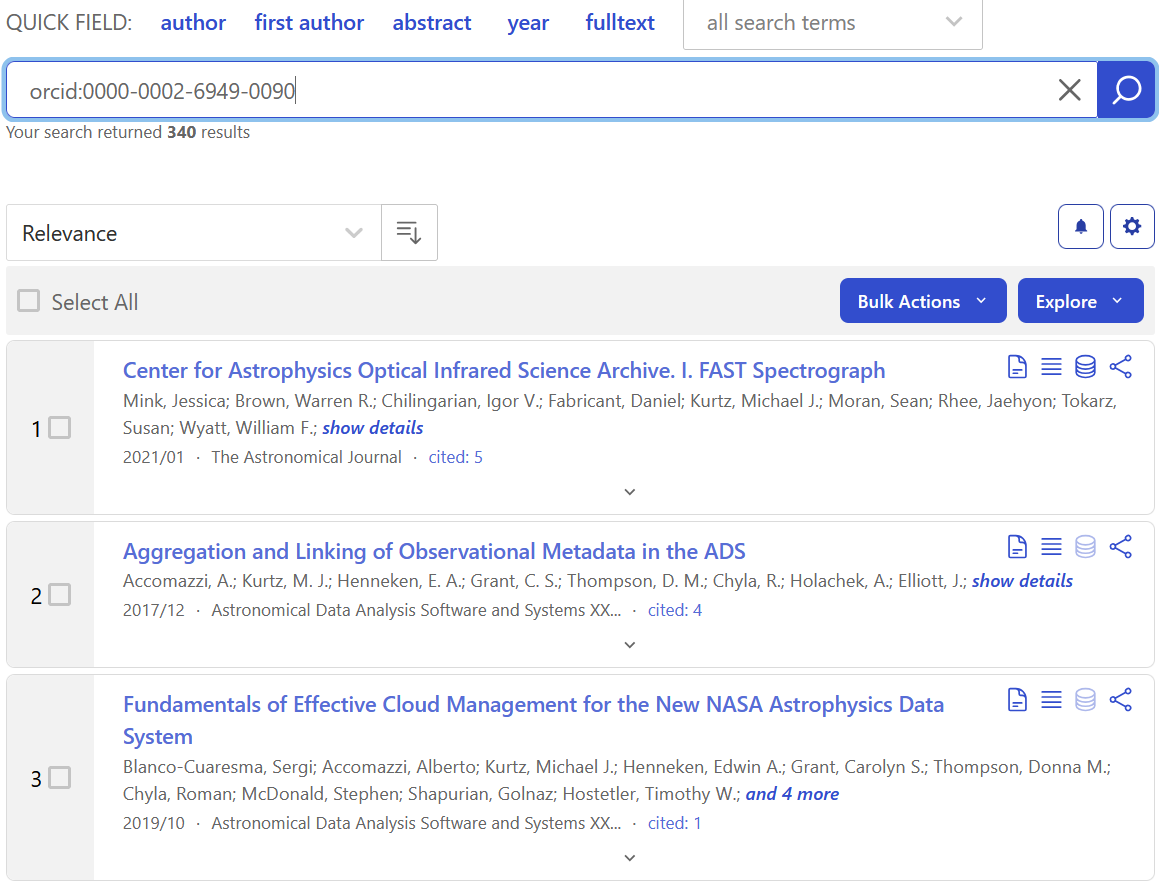
The ORCiD identifiers attached to a paper can come from the publisher, if that information is provided by the authors when submitting the paper.
ORCiD Use
How do researchers at your institution use ORCiDs? What are the expectations of researchers, publishers, funders, and administrators regarding these identifiers? What are the barriers to ORCiD use? Discuss with a friend.
However, SciX also lets you claim papers for your ORCiD, which is especially useful if the papers pre-date the ORCiD system or if you know that the publisher did not collect that information when you originally submitted the paper. SciX shares these claimed papers back to ORCiD so that they can show up on your profile there.
In order to claim a paper for your ORCiD in SciX, you need to connect to your ORCiD account using the ORCiD menu option at the top of the screen. It will bring up the ORCiD log-in screen. Then, you can sign in with your usual ORCiD credentials.

You will first see “My ORCiD Page” listing all of the papers in SciX currently associated with your ORCiD.
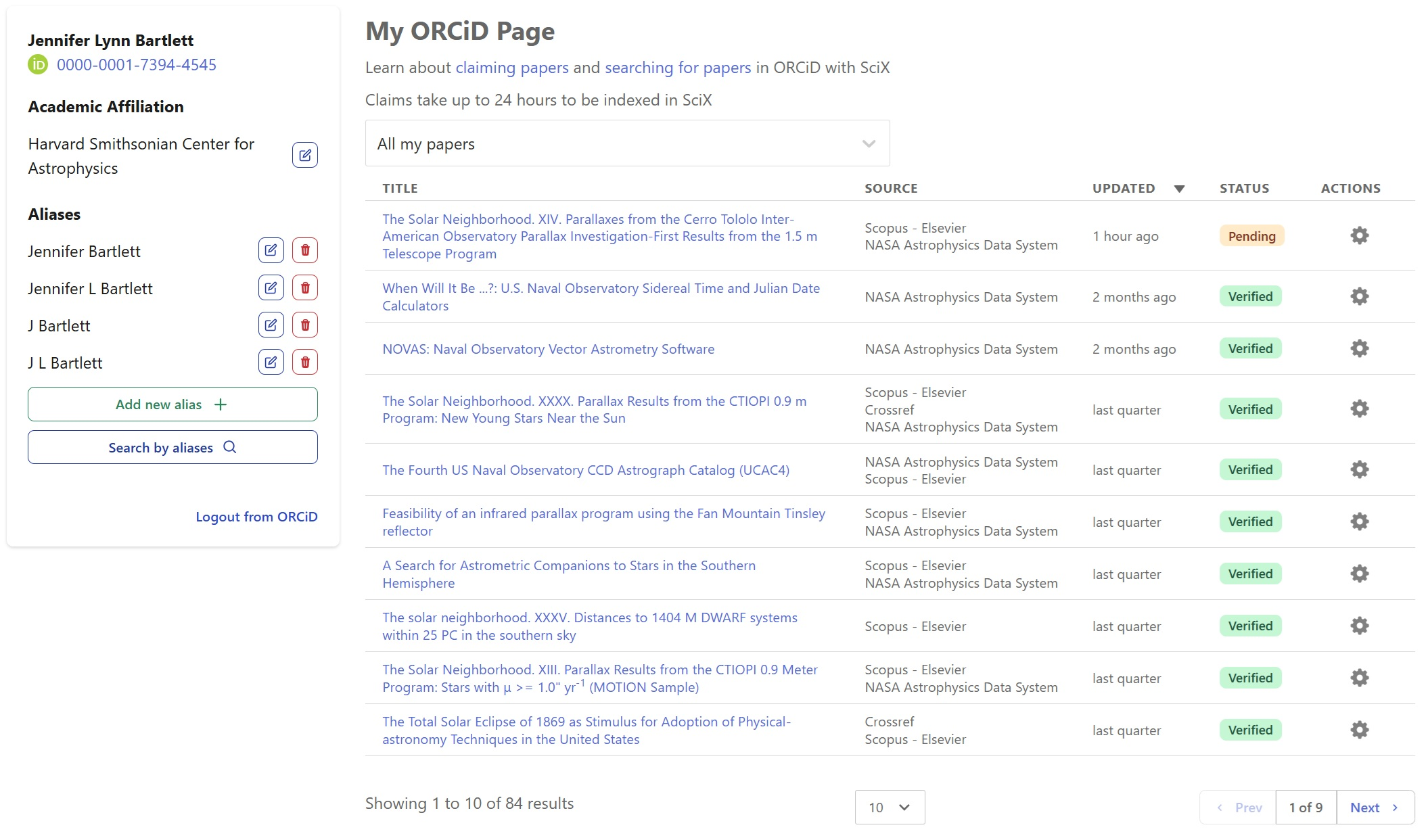
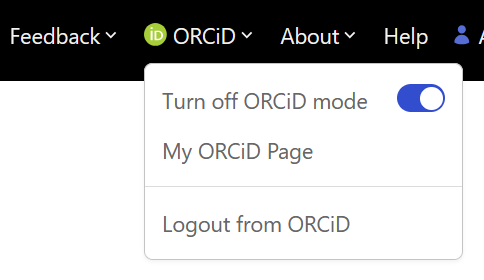
To search for additional papers, click the SciX logo in the upper left of the menu bar to return to the main search page. Once there, click on the ORCiD menu item to verify that ORCiD mode is “On”.
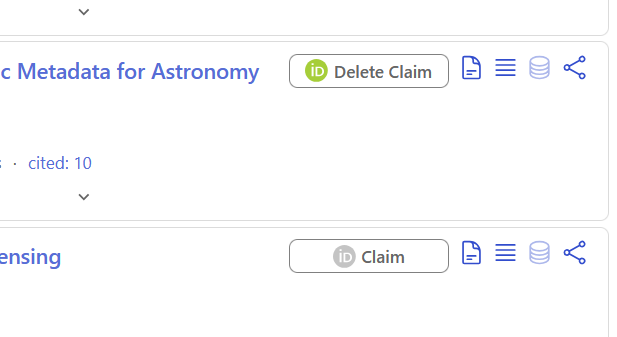
Then, search through SciX for your papers and click the “Claim” button to the right of each article that is yours. If any are erroneously marked, you can click the “Delete Claim” button to remove your claim on the article.
Visiting “My ORCiD Page” will bring back to the dashboard of all of your claimed articles, where you can push them to sync with ORCiD and make other edits.
Reflection and Discussion
If you have published papers in SciX, spend a few minutes ensuring your ORCiD is associated with each of them.
If you do not have published papers in SciX, do one of the following - Assist a friend who is working on claiming their papers. - Search for the papers of someone at your institution and identify which of their papers they should be encouraged to claim soon.
Working with a friend, address any areas of difficulty or confusion.
Summary
ORCiDs provide a powerful tool for uniquely identifying individual authors, many of whom may have similar names. SciX provides tools to search for papers using ORCiDs, where those are known, as well as assistance to authors in ensuring all their papers are properly ORCiD tagged.
For more information about using ORCiD in SciX, we recommend:
- SciX Help page: Searching
for papers in ORCID
- SciX Help page: Claiming
papers in ORCID
- Handout: ORCiD in
SciX
Bonus Challenge
For a few well-established researchers in your field, compare the effectiveness and efficiency of traditional name searches to ORCiD searches. Which works best now?
- SciX encourages authors to identify themselves and claim their work
with ORCiDs.
- Users can search SciX for people using ORCiDs.
- Users can use SciX search tools to find their papers without ORCiDS
and claim them.
- SciX will communicate users’ claims to ORCiD.