
Literature Exploration in SciX
Last updated on 2026-09-25 | Edit this page
Estimated time: 40 minutes
Overview
Questions
- What papers are useful to researchers working on (example topic)?
- How could I narrow (example topic) appropriately?
- What are the top collaborations in (example topic)?
Objectives
- Expand a search using SciX second-order operators, including
Useful()andReviews() - Explore connections among authors and papers using SciX visualizations
Literature Exploration in SciX
In this lesson, we will be focusing on different ways to explore your search results in SciX.
Setting Up Your Environment
When you go to SciX, ensure you can see the homepage.

Ask learners: “Can everyone see the SciX homepage on their browser?”
Research Trends
First we will focus on second-order operators, which are search operations that are performed on the results of a previous query. The second order operators available in SciX are: similar, useful, reviews, and trending. Each of these second-order operators benefits from taking different things into consideration for the initial query, so we will discuss individually the three we highlight in this lesson.
You might mention the kinds of topical searches you commonly perform in SciX (e.g., finding articles for your domain or checking citation metrics). The guided examples will be more meaningful if you modify them for your discipline or facility.
To get started, let’s run an example search query on SciX. You can search for any topic you are interested in, but for my demonstration, I am going to look for papers about volcanoes.
Start by entering your terms into the main search bar and executing the search.
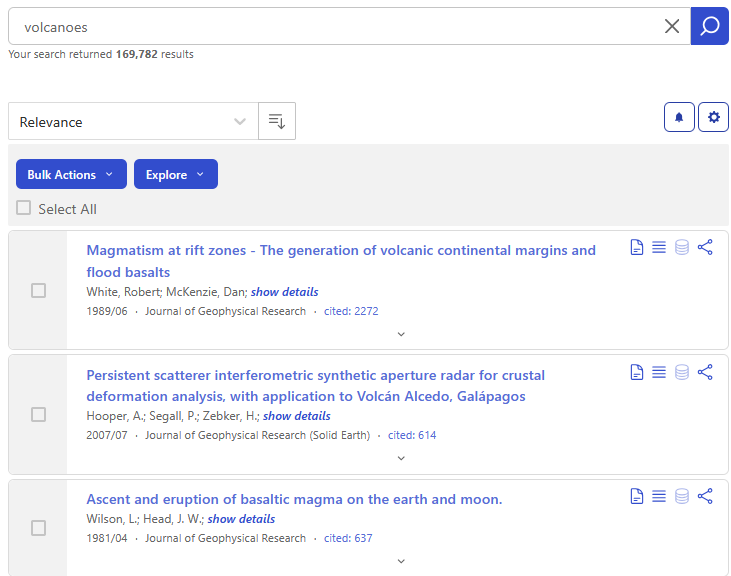
Next, click on the Explore button menu to see all of the options, which are categorized under two headings: Visualizations and Operations. The options under “operations” are the second order operators.
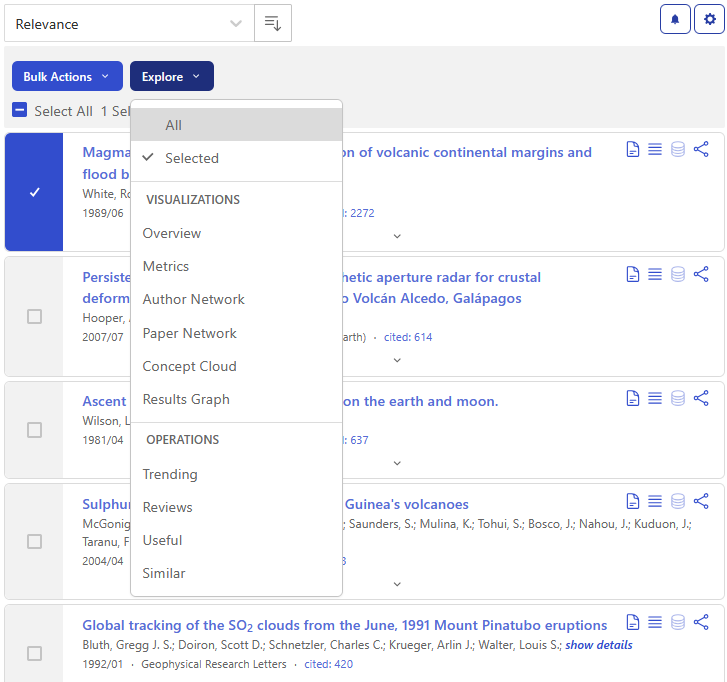
Similar
First, let’s look at the Similar() operator.
Results from this second-operator query exclude the results from the
original query, so it is best to focus on creating a narrow set of
results, or even a single relevant paper, to build off in the
Similar() search, so look through the results and select
the one to three papers most relevant for your topic. I’ll select just
the first article using the checkbox and click on Similar
under the Explore menu.
It may take a little while for the results from the second-order operator to load. In the background, Science Explorer is combining the abstracts from articles in the original selection and then ranking all abstracts in SciX based on their textual similarity to the combined abstracts. The articles returned are the most similar to those from the original selection as determined by text analysis.
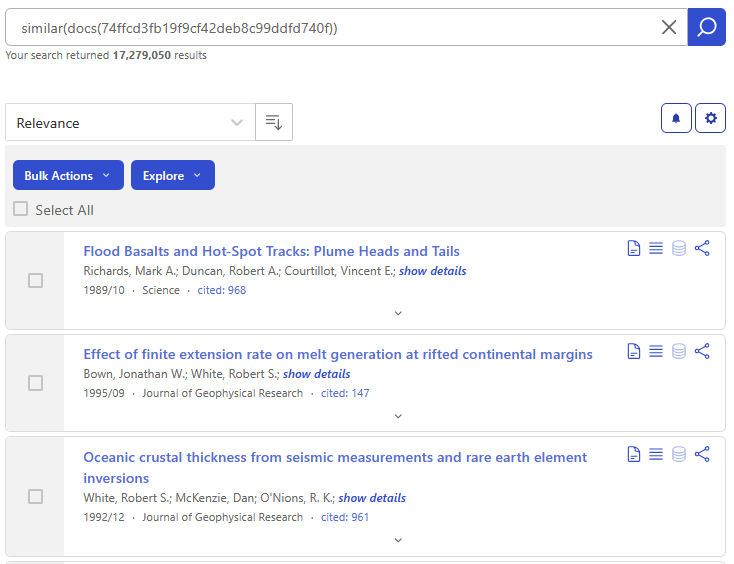
Similar() acting on the most relevant paper returned by an
unfielded search for ‘volcanoes’In addition to lists of papers, Similar() accepts any
text as input. The format is
similar("any text for comparison goes here",input)For instance, I could take text from U.S. Geological Survey (USGS) Volcano Notification Service report

and feed it into Similar().
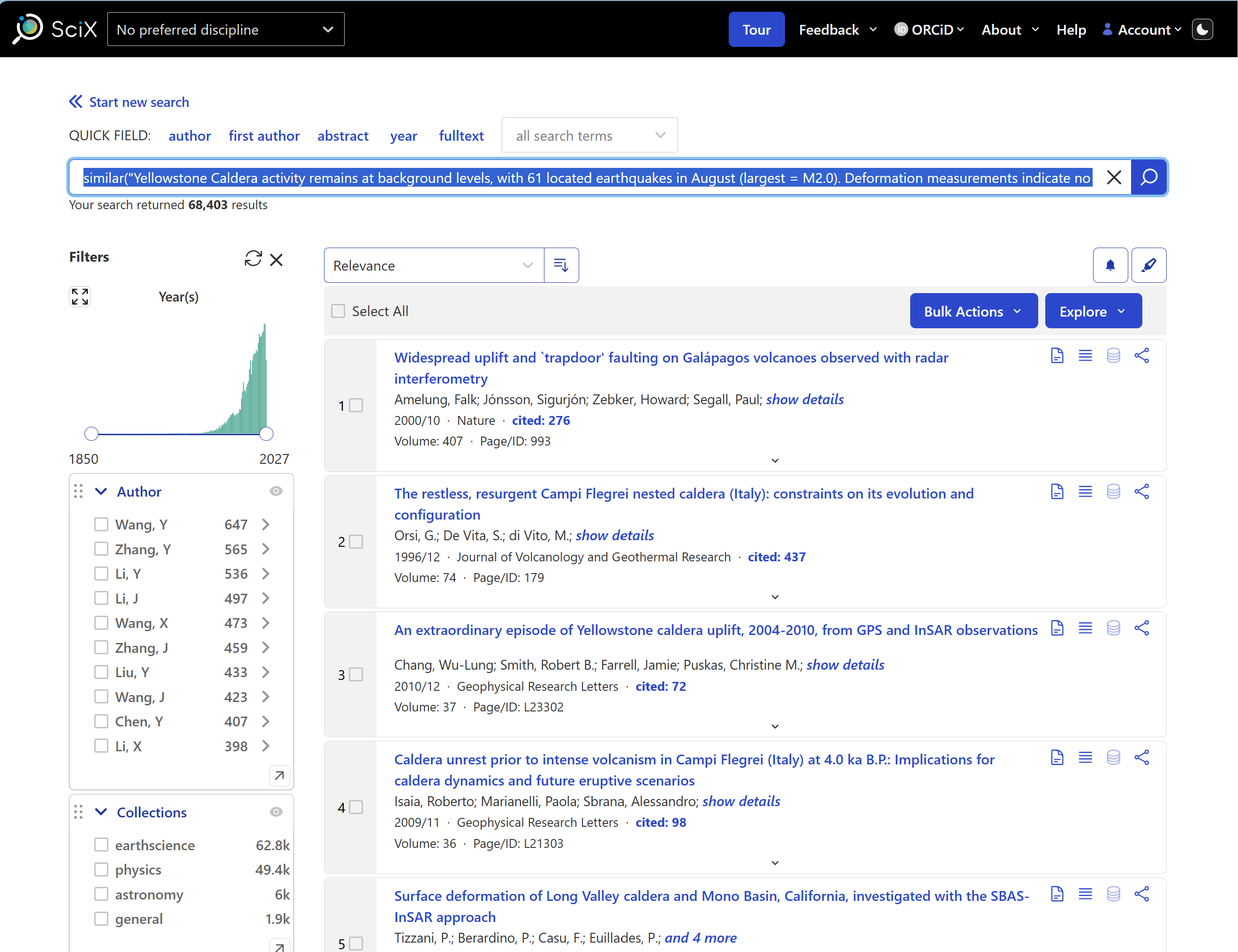
similar("Yellowstone Caldera activity remains at background levels, with 61 located earthquakes in August (largest = M2.0). Deformation measurements indicate no significant uplift of the north caldera rim since January 2026 and only minor uplift of the caldera since the beginning of the year.",input)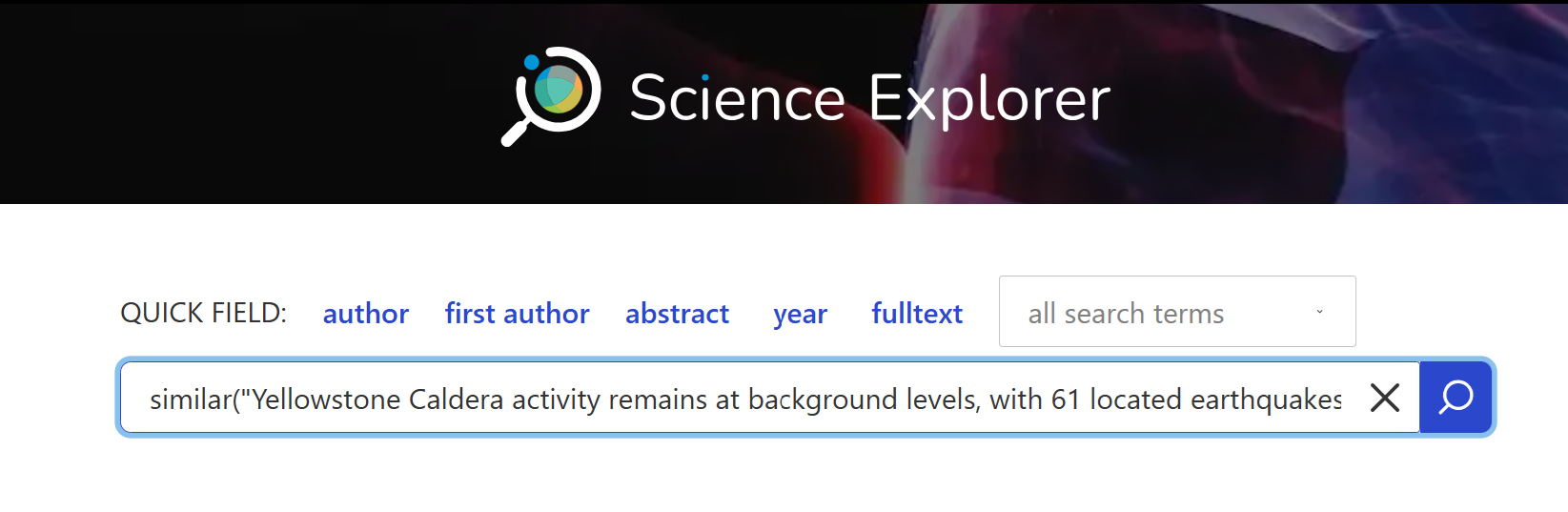
Similar() being applied to user-provided text.to get over 68,000 results.
Michael Kurtz et
al. 2020 and the SciX
Similar() help provide examples of sophisticated
queries using Similar()
Useful
The second-order operator Useful() examines the
references included in papers identified by the original query. It
combines them into a list sorted by how often a given paper is
referenced in the original set. The documents returned are the ones
cited the most often, by the authors of the chosen papers on the topic,
which can include foundational papers, datasets, and software. This
query can also expose papers in different, but related fields, such as
papers that describe software that other researchers found useful when
exploring the topic.
Discover Useful Papers
Submit a query to determine what papers are useful to volcanologists.
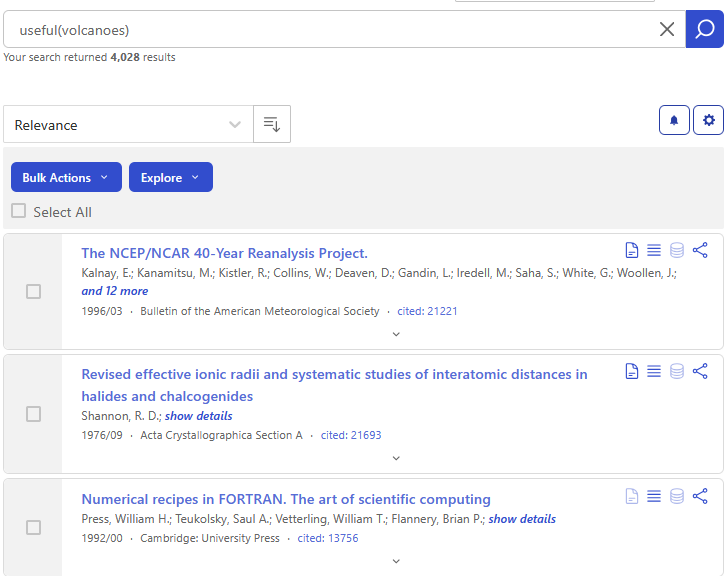 Using an unfielded search for volcanoes as input,
 Useful()
returned over 4,000 results when this example was run, as you can see in
the upper left; because SciX adds new material on daily and weekly
cycles you may see a different count.
The top three papers shown contain significant data sets and fundamental software functions.
Reviews
The last second-order operator we will cover today is
Reviews(). This operator collects the list of papers that
cite the papers in the original query and sorts them by how frequently
each paper appears. It does not necessarily return articles from review
journals, such as Annual Review of Earth and Planetary Sciences,
Annual Review of Astronomy and Astrophysics, or Annual Review
of Information Science and Technology. You can think of the results
from a Reviews() search as a higher-level view of your
topic or taking a step back from the details. These results will be the
most relevant papers on your topic when viewed from this broader
perspective within its field.
Discover Papers that Might Give an Overview
Submit a query to take a higher-level look at volcanoes, perhaps
place it within physical geology more broadly using
Reviews().
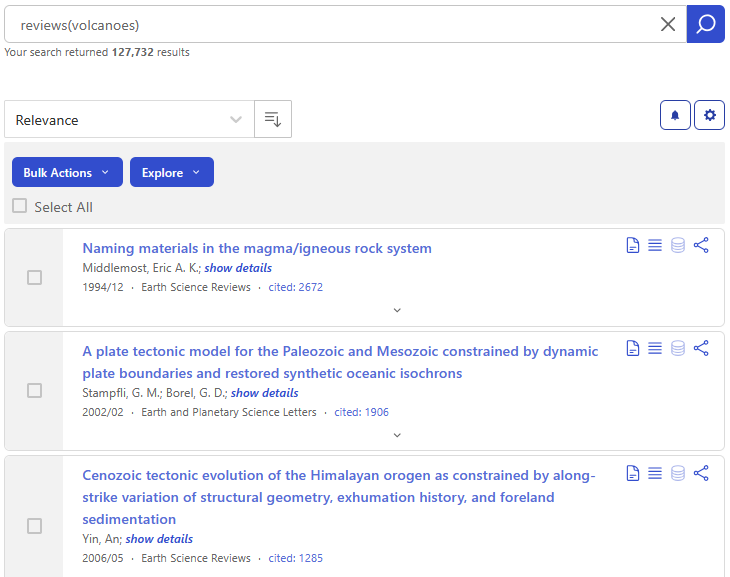 Using an unfielded search for volcanoes as input,
 Reviews()
returned over 127,000 results when this example was run as you can see
in the upper left; because SciX adds new material on daily and weekly
cycles you may see a different count.
The top three papers shown appear to be about tectonic systems.
If you were looking for a more traditional review journal covering a field with which you were less familiar, you could consult the SciX Journals database. It is available at https://scixplorer.org/journalsdb. You can type a word or two into the search bar to identify journals with titles containing those words.
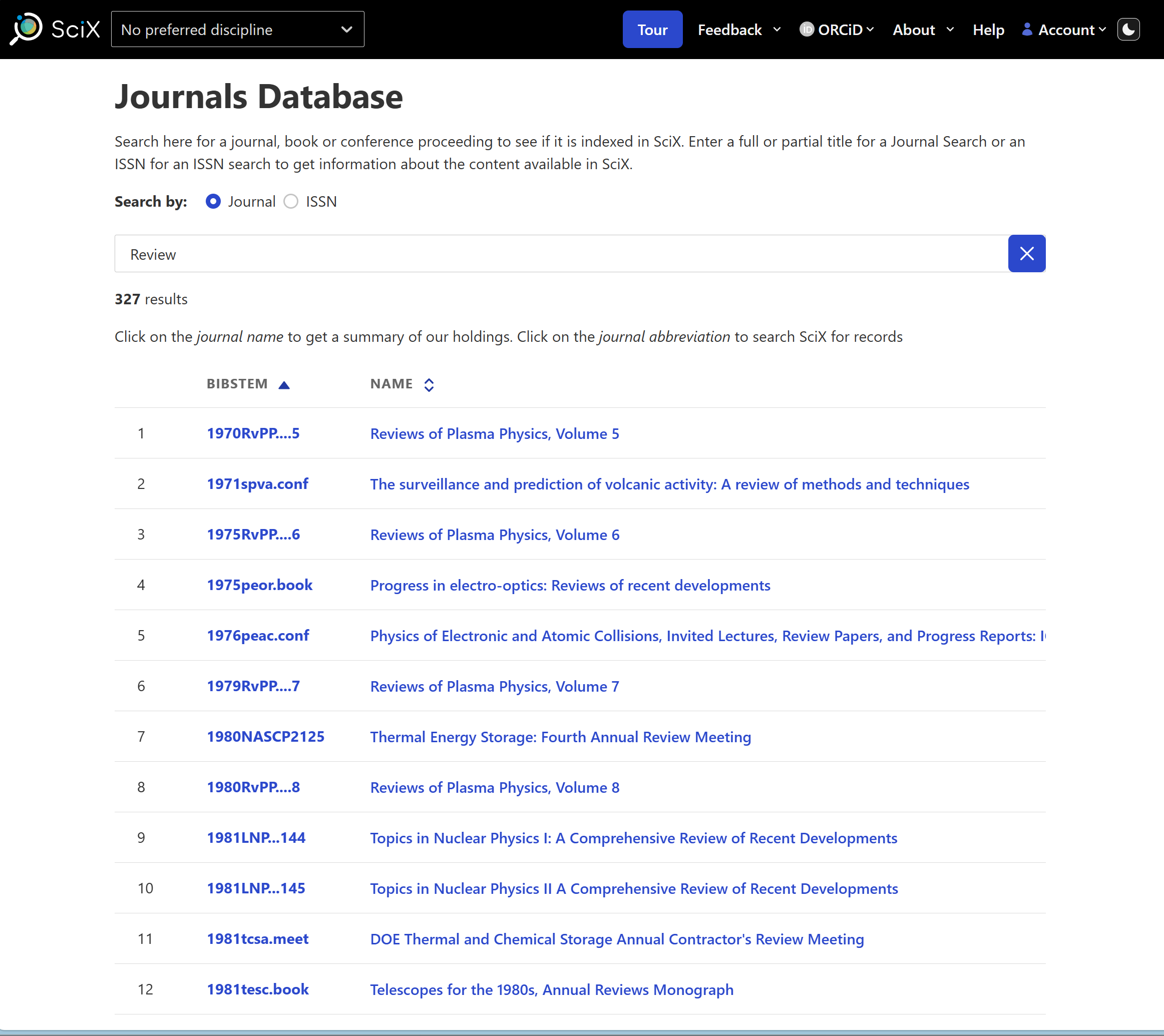
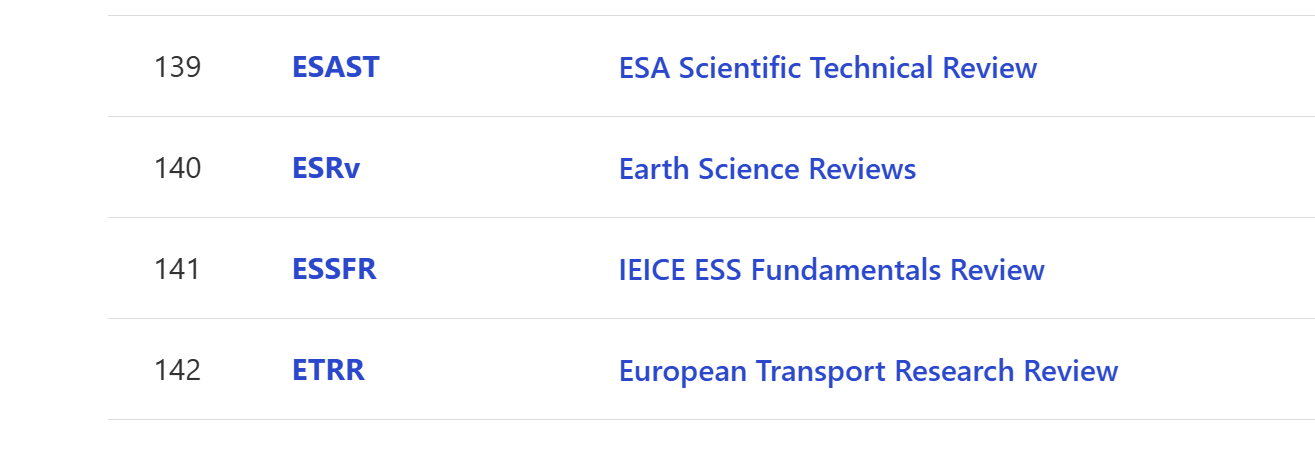
If I try typing “Review”, I find a lot of choices. However, scrolling through them, I do not find a volcanology specific review journal. My best option is probably Earth Science Reviews (ESRv). If I click on the abbreviation, I will get all of the papers published in that journal.
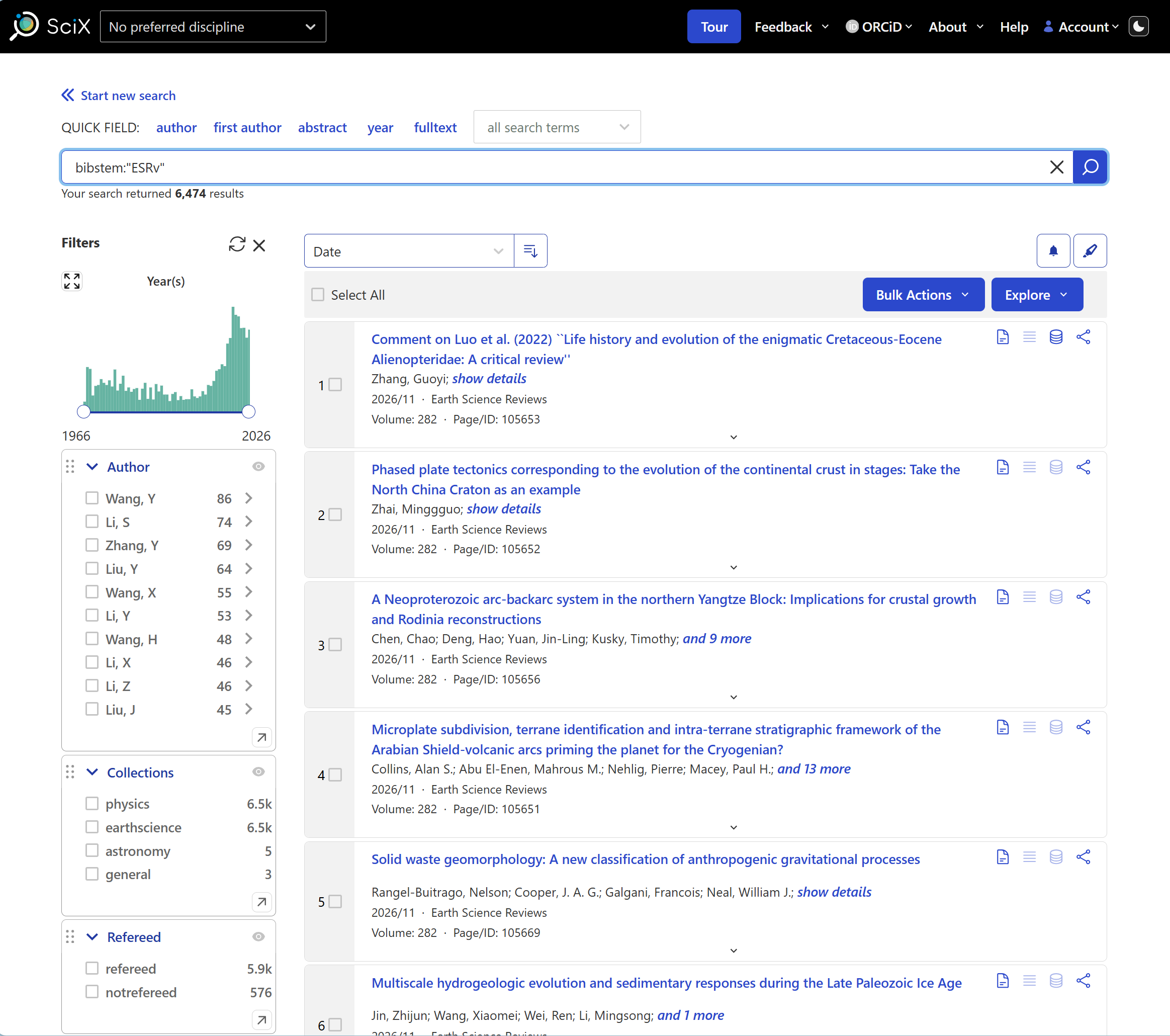
Alternatively, if I click on the full name of the journal, I will get more technical information about the SciX holdings for this journal.

Reflection and Discussion on Second-Order Operators
Spend 2-3 minutes working with second-order operators looking for research trends in a topic of your choice. Then, discuss what you did and what you learned with a friend. Was something difficult for you? Did something surprise you?
Which operator are you most likely to use: Similar(),
Useful(), or Reviews()?
If time permits, ask one or two learners to describe their experience. If they ran into problems with the operations, be prepared to provide basic support and suggestions.
Summary of Second-Order Operators
To review, SciX second-order operators can provide deeper insights and more information about the topic you are researching. Each of them accept sets of papers, or the results of a previous query, as their input. The graphic below can help describe the similarities and differences among these operations.
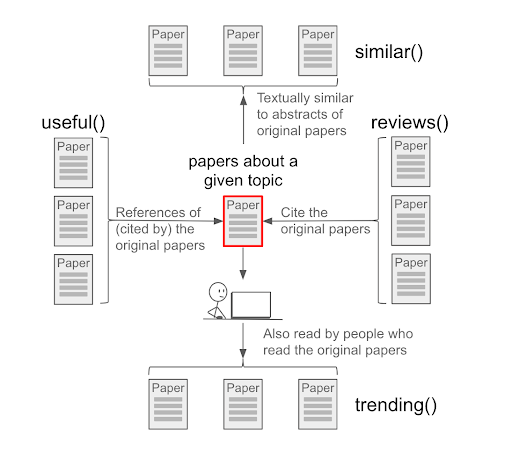
For more information, we recommend
- SciX
help page on second-order queries
- Second
Order Operators in SciX
- 2020 paper by
Michael Kurtz et al on second-order operations
Connections & Collaborations
Now, let’s turn to examining SciX visualizations, and we are going to focus on the paper network and the author network because these two visualizations offer new ways to explore search results. More traditional graphs of metrics and results are also available as is a concept cloud.
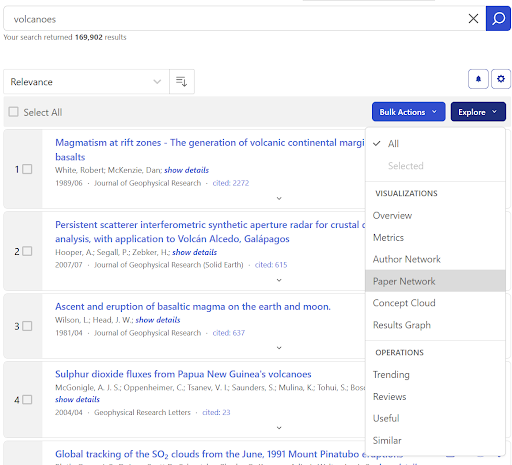
Paper Network
This visualization creates groups of papers by looking at the references from each paper and grouping them based on how many are shared. Because the papers in these groups cite a similar set of other papers, we can expect the papers in the group to be about the same topics. By default, this visualization only uses data from the first 400 papers in your search results, but you can adjust that; the maximum papers analyzed are 1000 papers.
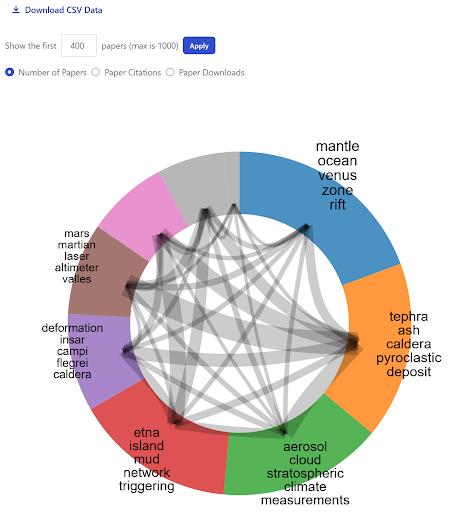
Each group is named by extracting shared, unique words from the titles of the set of articles in the group. These title words can help provide a general overview of the main topics of your original search results. Clicking on any specific group will display a list of the most cited papers from that group.
You can download a text file in comma-separated-value format (CSV) of the data that underlies the graphic. The CSV file will provide identifiers for each paper and indicate which other papers are in its same group, along with some other metadata such as citation counts and downloads.
Reviewing a paper network can help you drill down into a topic or help you expand your literature search by identifying papers you may have otherwise missed.
Author Network
This visualization is created by looking at authors that frequently appear together and creating groups based on the frequencies of those collaborations. Each of these groups contain authors that often work with each other, though not every author in each group will have worked with every other author in their group. You may find it helpful when looking for new opportunities, when trying to eliminate possible conflicts of interest, or when surveying the research landscape.
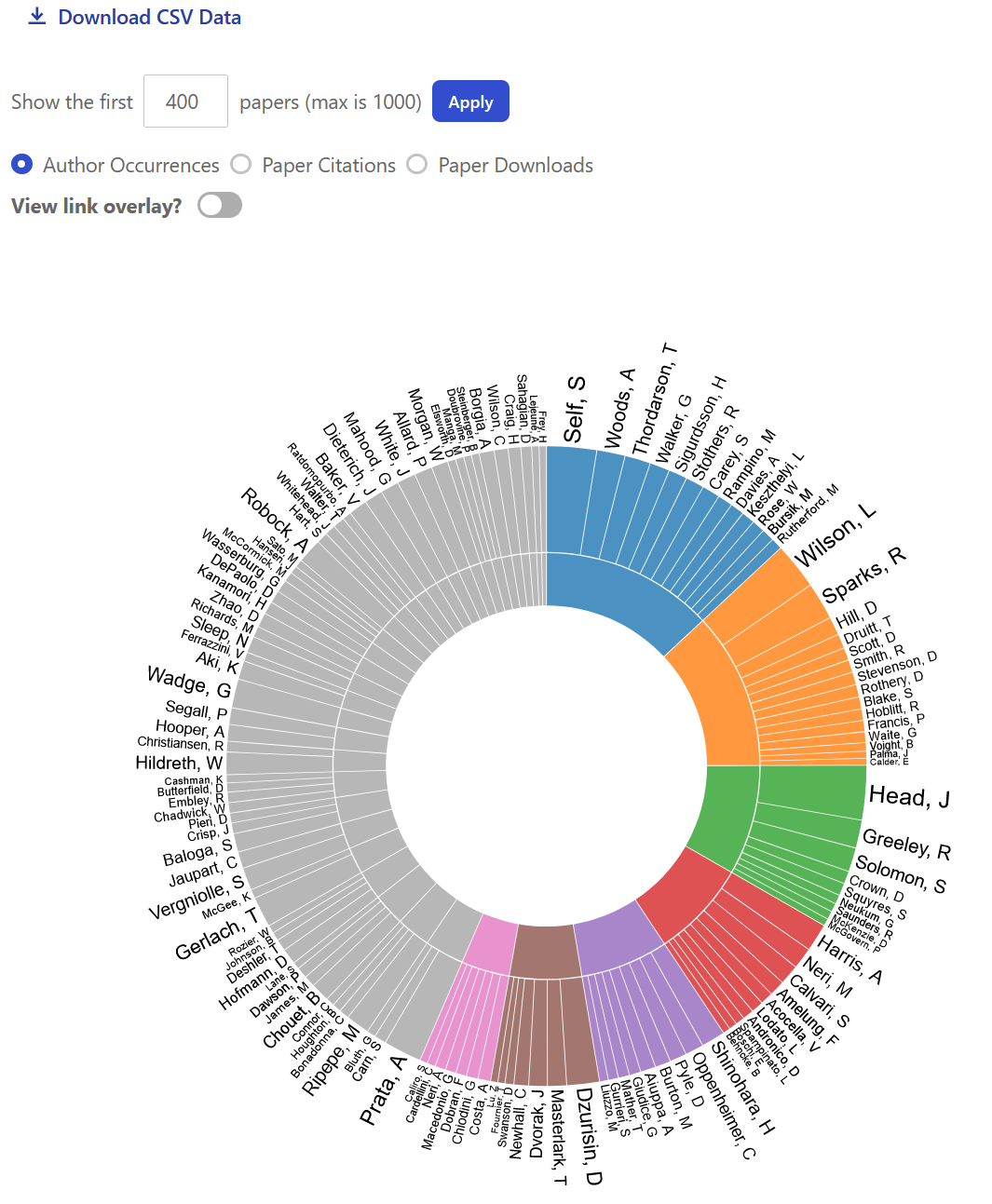
Using the top 400 documents returned by unfielded search for volcanoes for input, the visualization algorithm identified seven main groups when this example; because SciX adds new material on daily and weekly cycles you may see a different distribution.
Clicking into the section group, the inside edge of the donut, will bring up the list of papers in that group. Clicking on a specific name, or their specific section of the donut, will instead show all papers by that particular author.
Clicking on the “View link overlay?” will show connections among individuals in different groups.
Like the Paper Network, the Author Network also has an option to download the underlying data as a CSV file.
Reflection and Discussion on Visualizations
Spend 2-3 minutes individually looking at these visualizations for a topic of your choice. Then, discuss what you did and what you learned with a friend. Was anything difficult? Did anything surprise you? How could you use either the paper network or author network in your own work?
If time permits, ask one or two learners to describe their experience. If they ran into problems with the visualizations, be prepared to provide basic support and suggestions.
Summary of Visualizations
SciX visualizations provide additional ways of analyzing your search results. Each takes the results of a query and highlights connections among the documents: topics through references for the Paper Network, collaborations through authors for the Author Network, influence through citations for metrics and results, and relative frequency of concepts through abstract text for the Concept Cloud. These tools are helpful in building a substantive literature review and in positioning your work to your best advantage.
For more details about these two graphs and information about the
other SciX graphics, we recommend
- SciX
Help page on Visualizations
- Exploring
SciX Visualizations handout
- 2020 paper by
Michael Kurtz et al on second-order operations (Paper Network
only)
Bonus Challenge
Using search results from a query of interest to you, try one of the Explore menu options that we were not able to cover today. Consult the SciX Help documentation for anything that is unclear.
- SciX offers powerful tools that operate on sets of documents to assist you in analyzing the literature.
-
Similar()identifies items that are textually similar: find more like …. -
Useful()analyzes reference lists: what will help me with …. -
Reviews()analyzes citation lists: what has this contributed to … - The Paper Network groups papers topically through their references: how could I narrow my topic? what am I missing?
- The Author Network identifies groups through co-authorship: what collaborations are working in this field? what is that lab producing?